Click on image to enlarge.
Sections: 1 | 2 | 3 | 4 | 5 | 6 | 7 | 8 | 9 | Index | Next >
Learning objective: (3) Demonstrate the use of the pwd command
Click on image to enlarge.
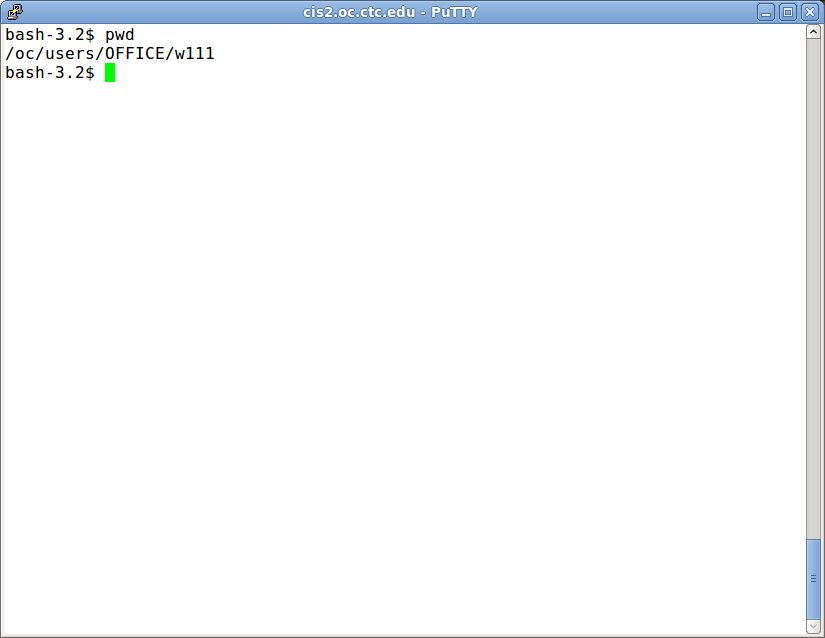
pwd command to show path
The "pwd" command prints the name of current or working directory you are currently in from the root.
Why no prompt like DOS?
In most Linux environments, you are not the "owner" of the system but one of many possible users. Users are typically many directories below the root. If the path was given, it might take up the entire command line! Thus, you can "pwd" anytime you want to find out where you are relative to the root.
DOS: PROMPT $P
The equivalent in DOS would be "PROMPT $P" where the $P is the argument for the path as part of the system prompt.
Thinking: How often do you need to know where you are on the tree?
Key terms: path, root, tree, working directory
Resources:
To maximize your learning, please visit these Web sites and review their content
to help reinforce the concepts presented in this section.
Quick links:
The pwd Command
pwd(1) - Linux man page
pwd @ Wikipedia
Notes on navigation: Click inside the frame to navigate the embedded Web page. - Click outside the frame to navigate this page to scroll up/down between the embedded Web pages. - Click on the frame title to open that page in a new tab in most browsers. - Click on the the "Reload page" link to reload the original page for that frame.
The pwd Command |
Reload page
|
If frame is empty, click on the link to view the page in a new tab or window
pwd(1) - Linux man page |
Reload page
|
If frame is empty, click on the link to view the page in a new tab or window
pwd @ Wikipedia |
Reload page
|
If frame is empty, click on the link to view the page in a new tab or window
Sections: 1 | 2 | 3 | 4 | 5 | 6 | 7 | 8 | 9 | Index | Next >